Effortless uploads
Drag in statements from any bank. Models pull merchants, dates, and amounts — you never re-type a row or fight column breaks from a bad export.
AI Credit Card Intelligence
Upload PDF statements from any issuer. Bilpae extracts merchants, dates, and amounts, then charts your spend, surfaces subscriptions, and flags what deserves attention — without rebuilding your life in a spreadsheet.
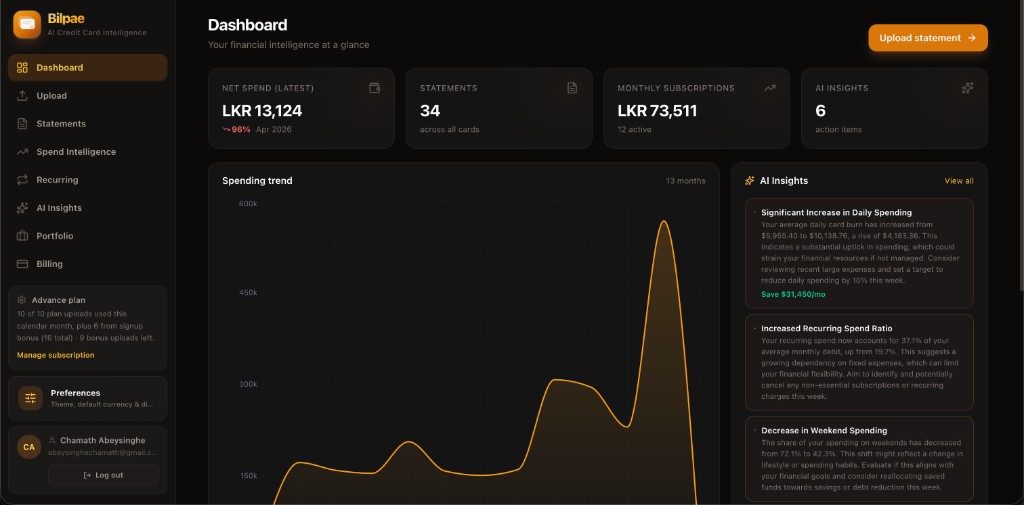
Live product UI — dark dashboard with spend trajectory, subscription totals, and prioritized AI actions (including payment due alerts and savings suggestions).
Raw uploads in — structured intelligence out. Six capabilities below; scroll the product tour next for the full UI.
Drag in statements from any bank. Models pull merchants, dates, and amounts — you never re-type a row or fight column breaks from a bad export.
Category trends, period comparisons, and merchant concentration — tuned for real credit-card cycles, not generic “budget app” buckets.
Browse every posting with context. Jump from totals to line items without squinting at scanned pages or five PDF tabs.
Spot subscriptions and repeating charges before they quietly stack up across cards — green “save money” hints when something looks idle.
Payment-due urgency, spend vs average, anomalies, and duplicates — summarized in cards you can act on, not buried on page seven.
Sidebar navigation mirrors how you work: Upload, Statements, Spend Intelligence, Recurring, AI Insights, Portfolio, Billing — one workspace.
Real screens from Bilpae: one workspace for statements, spend, recurring charges, AI priorities, and portfolio context.
Net spend, statement coverage, subscription totals, and open AI actions sit up front — with a multi-month spending trend so you spot pace and spikes without opening another tab.
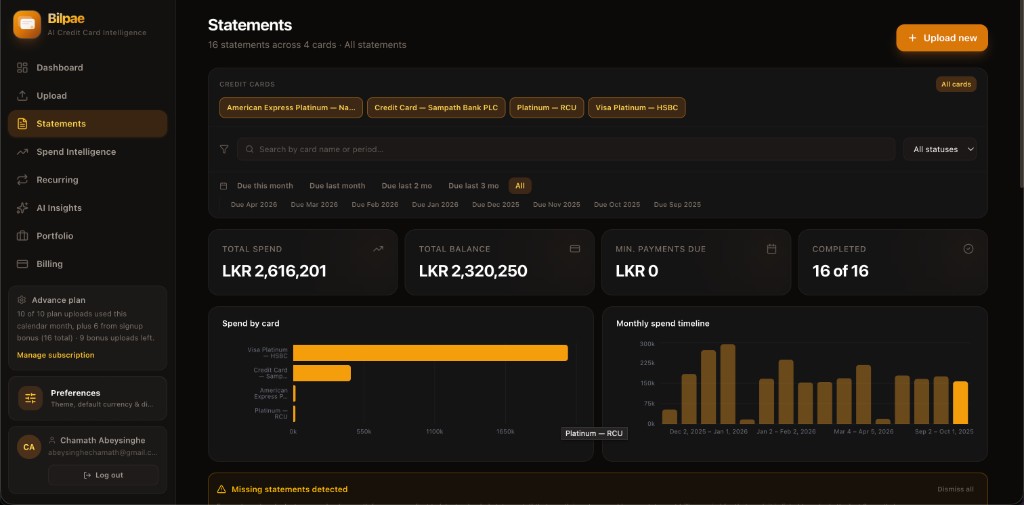
Filter by issuer, due window, or status; see totals, minimum payments, and completion progress; visualize spend by card and month — plus gentle alerts when coverage looks incomplete.
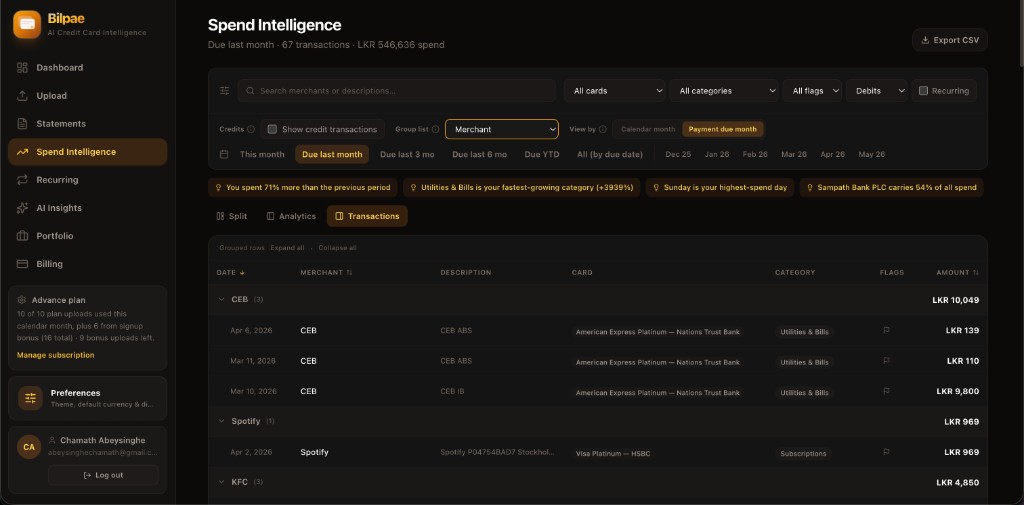
Search and slice transactions across cards; group by merchant; compare periods — with AI strip summaries calling out spikes, fastest-growing categories, and where spend concentrates.
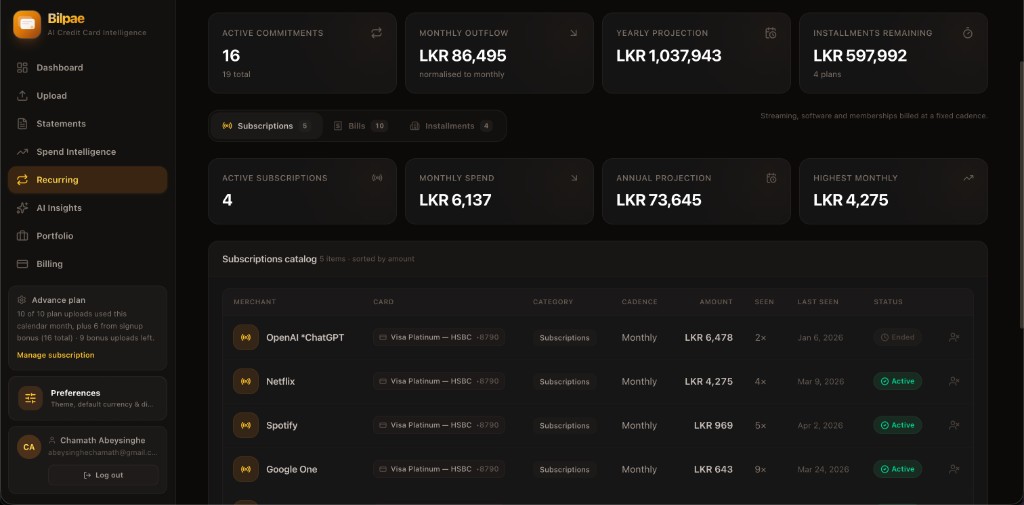
See normalized monthly outflow, yearly projections, and installment runway; flip between subscriptions, bills, and plans — each row ties back to the card it hits and whether it still looks active.
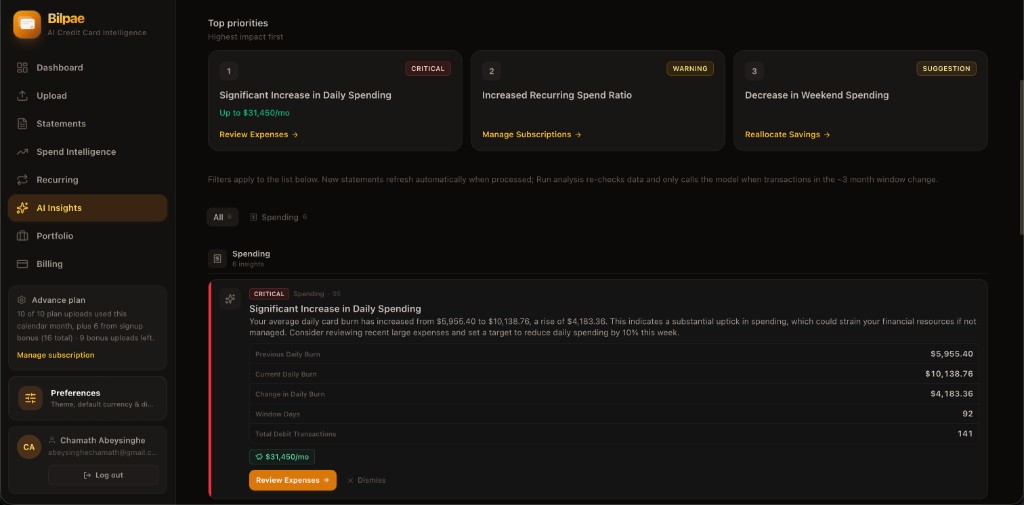
Critical, warning, and suggestion tiers bubble what matters first; expand an insight for plain-language rationale plus supporting numbers, then jump straight into review or cleanup flows.
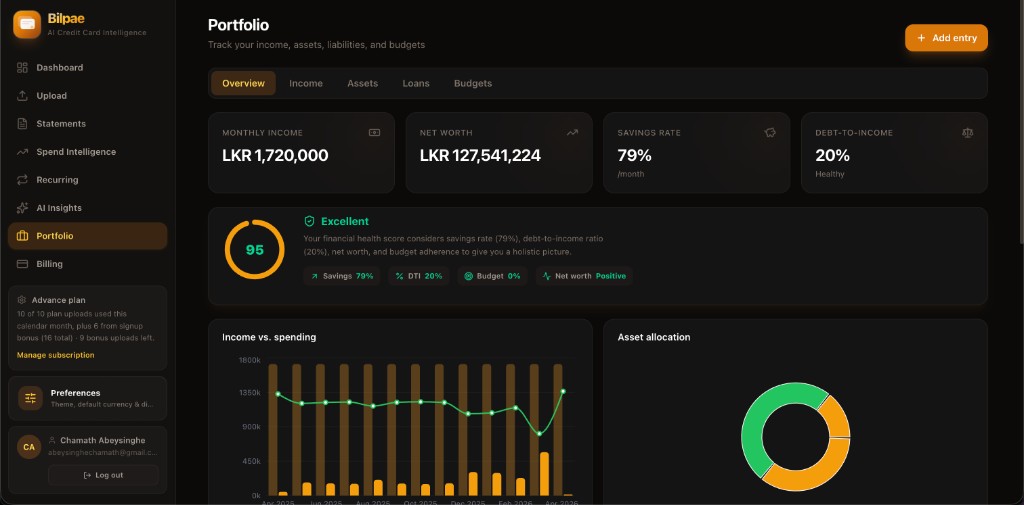
Track tabs for overview, income, assets, loans, and budgets; the overview blends KPI cards with a financial health score and charts for income vs. spending plus asset mix — grounded in your own entries.
Ready for your own data? Create an account and upload your first statement.
No manual categorization marathon. The product is designed around the way cardholders actually reconcile.
Statements you already get by email become the source of truth. We handle multi-page docs and messy layouts.
Dashboard metrics, trends, and lists populate automatically. Switch statement periods without losing the thread.
Urgent alerts, forecasts, and savings nuggets surface on the right — so you fix what matters first.
Early users use Bilpae to audit spend, prep for taxes, and finally trust their own numbers.
“I run three cards for points play. Bilpae is the first tool that doesn’t make me export CSVs from three different portals. The recurring view alone paid for my attention.”
“Upload a PDF, get structured data. I used to lose Sundays to spreadsheets. Now I reconcile in under an hour and actually discuss trends with my partner instead of arguing about totals.”
“The AI flags caught a duplicate charge I’d have missed until next month. That single alert made the whole signup worth it — everything else feels like bonus depth.”
Put them to work — secure workspace, clear insights, no manual data entry spiral.